7 Rules of Vibe Coding
Coding isn’t just about typing the right words. It’s also about the ideas you build, the tools you use, and how smoothly you move from one step to the next. "Vibe Coding" is a simple mindset you can use to make learning and building software more fun and more productive. Here are seven rules to help you get into the flow.
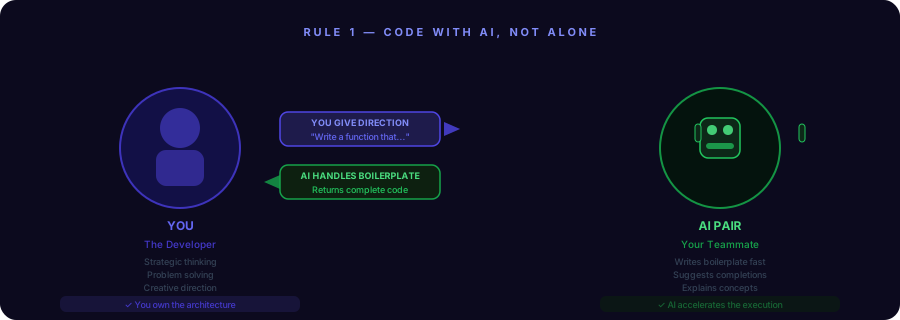
Rule 1 — Code with AI, Not Alone
Today you can use smart helpers like Copilot or ChatGPT as a teammate. They can write boilerplate, suggest ideas, or explain concepts. Think of them as a pair-programmer: you give direction, and they speed up the boring parts so you can focus on the creative thinking.
Rule 2 — Think in Workflows, Not Just Functions
Don’t only fix tiny problems. Imagine how a user moves through your app from start to finish. Plan the whole flow — input, processing, saving, and feedback — so each small piece fits into a bigger experience. This makes your code make sense to other people (and to your future self).
Rule 3 — Prompt Like a Pro
When you ask an AI for help, be clear. Give examples and explain what you want. A good prompt saves time. Try: "Show me a simple function that turns a name into initials and include one test case." Then refine the answer if it needs changes.
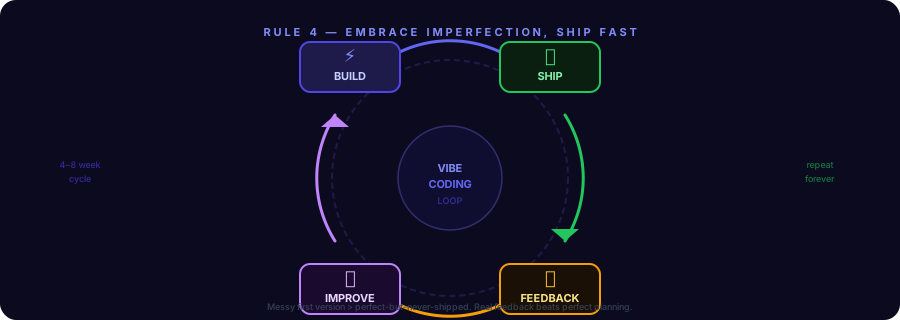
Rule 4 — Embrace Imperfection, Ship Fast
It’s okay for your first version to be messy. Ship something that works, then improve it later. You learn most from real feedback — when people use your project or when tests show where it breaks. Small, frequent improvements beat perfect-but-never-finished projects.
Rule 5 — Use Tools That Match Your Vibe
Choose editors, themes, and shortcuts that help you stay focused. If VS Code makes you calm, use it. If a keyboard layout helps you type faster, stick with it. You’re building habits — make the environment one that helps you get into flow.
Rule 6 — Automate the Boring Stuff
Scripts, templates, and shortcuts are your friends. If you always run the same setup commands, write a script once and use it. Automation frees your brain for creative work and helps you avoid repetitive mistakes.
Rule 7 — Stay Playful
Treat coding like a craft and a game. Try small experiments, remix examples, and build silly projects sometimes. Play keeps ideas fresh and helps you learn faster.
How to Try Vibe Coding Today
- Use an AI helper to scaffold a tiny project in 15 minutes.
- Map the user flow before writing your first function.
- Create one script that automates a task you do every day.
- Share your work with a friend and ask for honest feedback.
Final Thought
Vibe Coding is not a strict method — it’s a set of simple habits that help you code with more joy and less friction. Start small, be curious, and remember: the best way to learn is to build something that matters to you.
Want this explained in a classroom-friendly slide or a short video for your classmates? Tell me how you’d like it and I’ll help make it.
Related Articles